


Magnific - AI Video & Image
3.9253.00 Reviews
App Specs
- Version
- 6.2.1
- Updated On
- License
- Free
- Downloads
- 1,000,000+
- Developer
- Freepik Company
- Categories
- Art & Design
- Platform
- Android, iOS
Screenshots
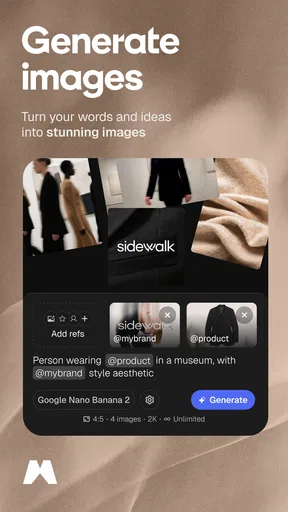
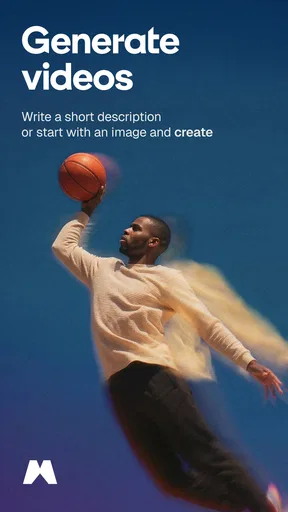
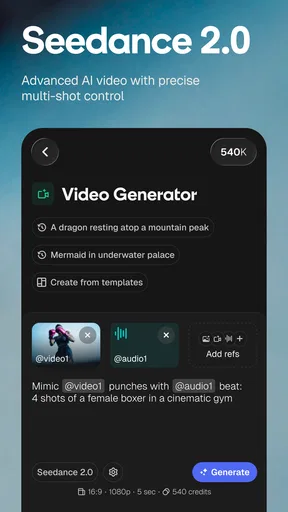
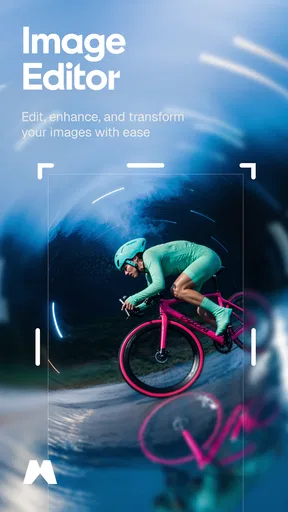
 Analysis by AppCompare
I judge an AI editing app less by how dramatic its effects look and more by what happens when I use it on an ordinary photo or a quick clip: can I make a useful change without losing control of the result? Magnific - AI Video & Image brings image and video creation together in an art-and-design app from Freepik Company. That combination is appealing when I want to work quickly, though AI-assisted editing is best treated as a starting point rather than a promise that every result will suit its subject.
Trust, controls, and the editing experience
I approach AI editing with two questions in mind: what choices can I make, and what should I avoid sharing? This section looks at practical ways to assess those questions before working with personal photos or clips, then turns to the small habits that help keep creative edits under your control.
What I would check before editing personal media
Because this app invites people to work with photos and videos, I would be thoughtful about the material I choose. A casual picture of a meal is different from an image containing a child, a home interior, an identity document, or someone who has not agreed to have their photo altered. I would keep sensitive material out of an AI workflow unless I had read the app’s current privacy information and felt comfortable with its terms.
That is not a claim about how Magnific handles uploads; it is a sensible boundary for any tool that applies AI to personal media. Before making an account or selecting a file, I would look at the choices the app actually presents, read any relevant privacy explanation, and consider whether the image needs to be edited at all. For work involving clients or other people, permission matters as much as the visual result.
Practical choices while working
The store identifies Magnific as free to install, with in-app purchases priced from $12.99 to $494.99 per item. I would explore the available editing options before committing to a purchase and check the price shown for the particular item I intend to use. That range makes it especially important not to assume every tool or result is included at no cost. The app is rated Mature 17+, another reason to check its current store and in-app notices before handing it to a younger user.
I also like to keep an untouched copy of anything I care about. With AI edits, a change can improve the mood while quietly changing details I wanted to preserve; working from a duplicate gives me room to compare and back out without treating the altered version as the only original. If the app offers a visible choice to preview or save a result, I would use it deliberately rather than accepting an edit on autopilot.
Where it fits among editing apps
Compared with a conventional photo editor, the draw here is the promise of quicker AI-assisted changes and a single place to work with still images and video. A traditional editor may be a better fit when I need precise control over layers, masking, color, or repeatable adjustments. Likewise, a dedicated video editor is often preferable for a longer piece that needs careful timing, detailed audio work, or a consistent sequence of edits. Magnific makes more sense for a fast creative pass than for every stage of a demanding project.
Worth Reading Before You Choose

Flipboard Shows What News Apps Must Do Beyond the Feed

Switching to Android Auto Means Rethinking Your Driving Routine

Google Calendar Makes a Crowded Week Easier to Manage

Ludo King Makes the Most of the Minutes Between Plans

Baby Panda World Brings Quick Play to Modern Phones, but Its Game Library Feels Busy

ESPN’s Live Game View Makes Following Close Games Easier
For a small business owner, a creator preparing a post, or someone who wants to refresh a personal image without learning a desktop suite, that trade-off can be worthwhile. I would still inspect edges, faces, text, and fine details after an automatic change. Background separation, for example, can look convincing at a glance yet leave a halo around hair or objects; a busy original background can make those flaws easier to notice. A quick zoom-in before sharing is a simple quality check that saves embarrassment.
A useful routine for everyday projects
Imagine I have taken a product photo at home for a small online listing. I would first choose a well-lit image with the item clearly separated from its surroundings, then try an enhancement or background change and compare the result with the original. If the edit makes the product look unlike what a buyer will receive, I would reject it, even if the new image looks more polished. For a social post, style may matter more; for a listing, accuracy should win.
For a short event clip, I would trim the material to the moment that matters before adding visual treatment or music. That order keeps the task manageable and makes it easier to judge whether an effect helps the story or simply distracts from it. I would also check that any music or imagery is appropriate for the place I plan to post the finished work. The app can make creation more convenient, but it cannot decide whether a result is truthful, suitable, or cleared for a particular use.
Who is likely to get the most from it?
Magnific is a reasonable option for people who want an approachable creative workspace and value quick experimentation across photos and clips. Freepik Company is the developer, and the app has an average rating of 4.2 from around 13,000 ratings, with more than a million installs. Those figures suggest an established audience, but they do not tell me whether a specific tool will suit my style or whether an edit will preserve the details I care about. I would treat them as context, not as a substitute for trying a small, low-stakes project.
I would be more cautious if I needed exact retouching, a professional color workflow, or a dependable way to produce a large batch of consistent assets. I would also skip it for sensitive images unless I had reviewed the privacy information and understood the choices available in the app. People who want full manual control may feel constrained by AI-led shortcuts, while those who only need to crop or brighten a picture may find a simpler editor less distracting.
Getting Started with Magnific
First things first, downloading and setting up the Magnific - AI Video & Image app was a breeze. Available for both Android and iOS, I found it in the app store quickly. After a swift installation, I was welcomed by a clean, intuitive interface. It’s designed in a way that even if you’re a beginner, you’ll feel right at home navigating through the options.
Once you open the app, you’re greeted with a dashboard that offers options for video and image editing. It’s straightforward, with all the tools laid out clearly. Honestly, it feels like the app is holding your hand and guiding you through each step, which is perfect for those who might feel overwhelmed by more complex editing software.
Features That Stand Out
Now, let’s dive into the features, because this is where Magnific truly shines. The app leverages AI technology to enhance your images and videos seamlessly. Here’s what I found particularly impressive:
- AI-Powered Enhancements: The app uses AI to automatically adjust lighting, contrast, and colors. It’s like having a virtual assistant that knows exactly what your media needs to pop.
- Filters Galore: There’s a plethora of filters available, ranging from subtle enhancements to dramatic transformations. You can easily swipe through them and see the effects in real-time.
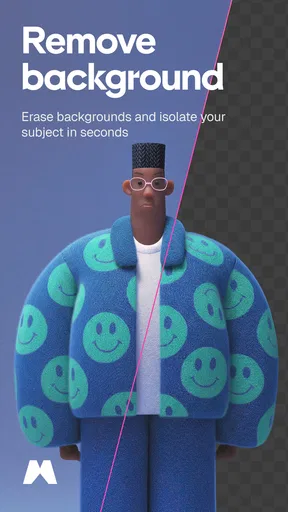
- Background Removal: This feature allows you to easily remove and replace backgrounds in your images. The accuracy is pretty impressive, minimizing the need for manual adjustments.
- Video Editing Tools: For videos, you can trim, merge, and add music effortlessly. The app also offers some cool transition effects to make your videos look smooth and professional.
My Personal Take
Using the app felt like a game-changer. As someone who loves sharing content on social media, having these tools at my fingertips was incredibly convenient. The AI enhancements save you from spending hours trying to get the right look manually. Plus, the app doesn't feel sluggish or glitchy, which is a huge plus in my book.
What really caught my attention was the background removal tool. I played around with it for a while, replacing boring backdrops with stunning landscapes, and the results were nothing short of amazing. It’s a feature that can really elevate your content, making it stand out from the crowd.
And let’s not forget about the video editing capabilities. The ability to add music directly from the app without needing to switch between multiple tools is a huge time saver. It’s perfect for creating quick, engaging videos for platforms like Instagram or TikTok.
Final Thoughts
In conclusion, Magnific - AI Video & Image is a powerhouse of an app that brings professional editing tools to your smartphone. It’s user-friendly enough for beginners but packed with features that even seasoned creators will appreciate. Whether you’re looking to spruce up your holiday photos or create stunning video content, this app has got you covered.
If you’re interested in trying it out, you can find the download links for both Android and iOS on our website. Give it a whirl and see how it transforms your content creation game. Trust me, you won’t be disappointed!
Pros
- Intuitive interface for easy navigation.
- High-quality AI enhancements for media.
- Fast processing with minimal lag.
- Supports multiple media formats.
- Regular updates with new features.
Cons
- Requires internet for full functionality.
- Subscription needed for premium features.
- Limited free version capabilities.
- Occasional app crashes reported.
- Heavy on device storage space.
FAQs for Magnific - AI Video & Image
What features does Magnific - AI Video & Image offer?
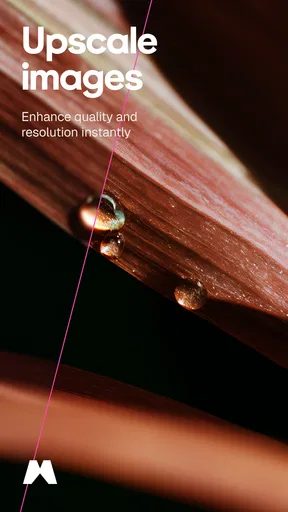
Magnific - AI Video & Image provides a comprehensive suite of tools for enhancing and editing multimedia content. Users can upscale image resolution, apply AI-driven filters to videos, and remove noise or artifacts from photos. The app also includes advanced editing capabilities like background removal and color correction, making it ideal for both casual users and professionals.
Is Magnific - AI Video & Image free to use?
Magnific offers a free version with basic features, but advanced functionalities require a subscription. The premium version unlocks additional tools such as high-resolution exports and exclusive AI filters. There may also be in-app purchases for specific features or content packs, allowing users to customize their experience according to their needs.
How user-friendly is Magnific - AI Video & Image for beginners?
Magnific is designed with a user-friendly interface, making it accessible for beginners. The app includes step-by-step tutorials and intuitive controls, allowing users to easily navigate through its features. Additionally, the AI-driven enhancements automate complex edits, enabling new users to achieve professional-quality results without a steep learning curve.
Does Magnific - AI Video & Image require an internet connection?
While some of Magnific's features can be used offline, many advanced AI functionalities require an internet connection. This is because the app processes complex tasks on cloud servers to deliver high-quality results. Users should ensure they have a stable connection for the best experience, especially when using AI-intensive tools.
What are the system requirements for Magnific - AI Video & Image?
Magnific is compatible with both Android and iOS devices, but it performs best on newer models due to the app's high processing demands. Users should have a device running Android 8.0 or later, or iOS 12.0 or later. Sufficient storage space and RAM are also recommended for optimal performance, especially when working with large files.


